Skip to Main Content
Mobile WMATA Logo
  • English
  • Español (Spanish)
  • 中文 (简体) (Chinese (Simplified))
  • 中文 (繁體) (Chinese (Traditional))
  • Tiếng Việt (Vietnamese)
  • አማርኛ (Amharic)
  • Русский (Russian)
  • Soomaali (Somali)
  • العربية (Arabic)
  • Português (Brasil) (Portuguese (Brazil))
  • Filipino (Filipino)
  • 한국어 (Korean)
  • Français (French)
  • فارسی (Farsi)
Smart Trip
Metro Logo
Metro Logo Collapsed
Icon
Rider Tools

Plan a trip, find schedules, maps, real-time arrival information and alerts.

Icon
Alerts

Find system-wide alerts and planned service advisories. 

Icon
Accessibility

Metro is committed to making our services fully accessible.

Icon
Guides

Check here for resources on using Metro.

  • Metro Access
  • Parking
  • Bikes
  • Elevators and Escalators
  • System Maps
Icon
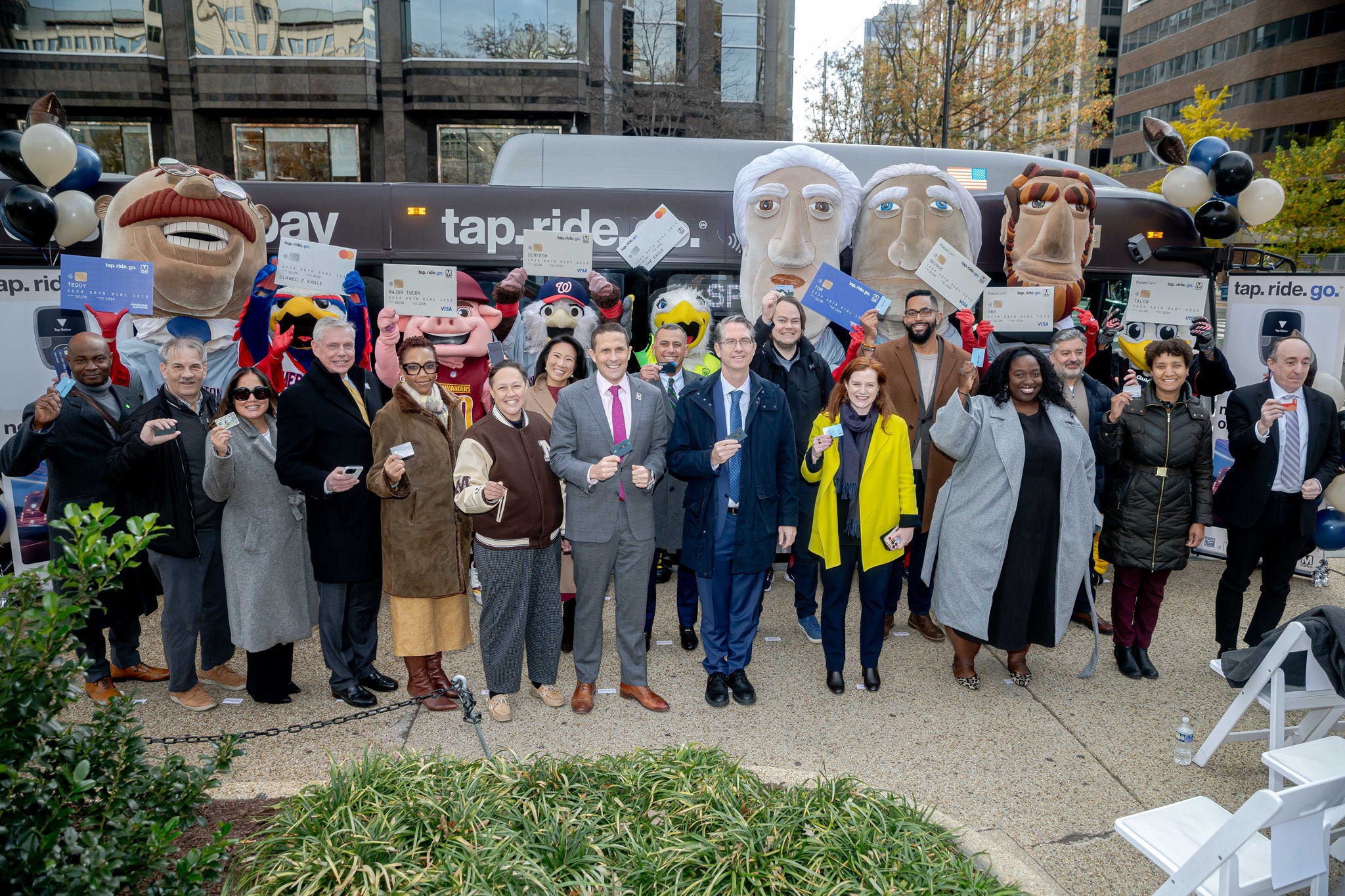
Tap. Ride. Go.

Tap your contactless credit or debit card at the faregate or farebox.

    Icon
    Reduced Fare Programs

    Certain riders such as seniors and those with disabilities may be eligible for a discounted fare.

    Icon
    Smart Trip

    How to use Smart Trip, your ticket to ride, on your phone or with a card.

    Metro Fares
    Rail, one-way

    Full fare $2.25-$6.75

    Senior / Reduced fare $1.10-$3.35

    Local bus, one-way

    Full fare $2.25

    Senior / Reduced fare $1.10

    Icon
    News

    Keep up to date on what's new at Metro.

    Icon
    For the Media

    Are you a reporter or a member of the news media? Learn more about how you can interact with Metro. 

    Icon
    Events Calendar

    Get involved with Metro at an upcoming event.

    Icon
    Help Topics

    Search through frequently asked questions about how to use Metro and WMATA.com.

    Icon
    Contact Metro

    Get in touch with Metro, provide customer feedback, inquire about lost and found. 

    Icon
    Contact Metro Transit Police

    To report suspicious activity or unattended items on Metro.


    202-962-2121
    Text MYMTPD (696873)

    • English
    • Español (Spanish)
    • 中文 (简体) (Chinese (Simplified))
    • 中文 (繁體) (Chinese (Traditional))
    • Tiếng Việt (Vietnamese)
    • አማርኛ (Amharic)
    • Русский (Russian)
    • Soomaali (Somali)
    • العربية (Arabic)
    • Português (Brasil) (Portuguese (Brazil))
    • Filipino (Filipino)
    • 한국어 (Korean)
    • Français (French)
    • فارسی (Farsi)
    • English
    • Español (Spanish)
    • 中文 (简体) (Chinese (Simplified))
    • 中文 (繁體) (Chinese (Traditional))
    • Tiếng Việt (Vietnamese)
    • አማርኛ (Amharic)
    • Русский (Russian)
    • Soomaali (Somali)
    • العربية (Arabic)
    • Português (Brasil) (Portuguese (Brazil))
    • Filipino (Filipino)
    • 한국어 (Korean)
    • Français (French)
    • فارسی (Farsi)
    Smart Trip
    1. Pay for Metro

    Tap. Ride. Go.

    Tap your credit or debit card on rail, bus, and select parking locations

    Smart Trip cards are still accepted, and needed for some programs, including reduced fares, passes, and Smart Benefits.

    Learn more about Smart Trip

    How to use Tap. Ride. Go.

    To use Tap. Ride. Go., there's no need to sign up, register, or purchase a Smart Trip card. Just use a contactcless credit or debit card, or your phone with payments enabled. 

    Metro Rail

    1. Select your contactless credit or debit card (physical card or mobile wallet).
    2. Tap your card or device at any Metro Rail faregate to enter a station.
    3. Enjoy your ride.
    4. Tap the same card or device at any Metro Rail faregate to exit a station.

    That's it! Enjoy your day. 

    Metro Bus

    1. Select your contactless credit or debit card (physical card or mobile wallet).
    2. Tap your card or device at any Metro Bus farebox.

    That's it! Enjoy your ride.

    Parking

    When exiting a Tap. Ride. Go.-enabled parking facility, tap the new fare reader with your same contactless credit or debit card (physical card or mobile wallet) that you used for your rail trip.

    Swiping your card when leaving the facility will not activate the discounted rider rate (you must tap).

    That's it! Enjoy your day. 


    Benefits of Tap. Ride. Go.

    • No need to visit a fare machine to purchase or add value to a Smart Trip card.
    • Simplified payment: especially convenient for visitors, business travelers, and occasional riders.
    • Ability to use your existing, preferred payment methods.
    • Parking benefits (tap vs. swipe): faster, more secure, and in some cases, cheaper (i.e., receive the discounted rider rate).

    Specifics for Tap. Ride. Go.

    • Each customer needs their own physical contactless card  or mobile-enabled device.
    • Most contactless cards  are accepted, including Mastercard, Visa, American Express, and Discover. If you can tap it to pay in a store, you can use it for Tap. Ride. Go.
    • Tap. Ride. Go. is available for use at all Metro Rail faregates, on any Metro Bus farebox, and in select parking facilities.
    • Charges for each ride will show up as "Metro" on your card or bank statement.
    • When you tap in and tap out at a Metro Rail faregate, make sure to use the same contactless card or device.
    • For transfers, Metro Rail to Metro Bus, or Metro Bus to Metro Rail, use the same contactless card  or device.
    • Tap only the contactless card you intend to use at the faregate or farebox to avoid "card clash" (i.e., don't tap your whole physical wallet).

    Parking discounts with Tap. Ride. Go.

    In order to qualify for the lower daily parking rate under Tap. Ride. Go., you must: 

    a) take a valid Metro Rail trip (min. two stops) using a contactless credit or debit card (physical or mobile)

    b) tap the new fare reader (don't swipe the old unit) to exit the facility with that same payment method; and 

    c) leave the parking lot within two hours from the start of your ride.

    Metro launched an online tracker showing which parking facilities accept Tap. Ride. Go. payments.

    Visit our parking page for more details

    Using your device

    If you have a valid card added, you can use:

    • Apple Pay 
    • Google Pay (GPay)
    • Samsung Pay
    • Fitbit Pay
    • Garmin Pay

    Cellular or Wi-Fi connectivity is not required to tap with Apple Pay or Google Pay, and may not be needed for other devices. 

    Apple Wallet and Express Mode

    Just like Smart Trip, you can use Express Mode with your debit or credit card in Apple Wallet. With Express Mode, you won't have to unlock or wake up your iPhone or Apple Watch. Apple.com | How to enable express mode

    Some Apple devices support power reserve, which allows you to use certain Express cards even when it needs to be charged.

    If you have both a Smart Trip card and a payment card in Apple Wallet, the reader will select the Smart Trip card first. If you prefer to pay for your trip with your credit or debit card, then you should enable Express on your preferred payment card and disable Express on your Smart Trip card.

    • Leadership
    • Careers
    • Your Civil Rights
    • Public Records and Privacy
    • Planning, Budget and Operations
    • Open Data Hub
    • Metro Transit Police
    • DC Metro Store
    • Plans and Projects
    • Capital Program
    • Safety and Security
    • Transparency
    • Community Engagement
    • Art in Transit
    • Metro Pulse
    • News
    • For the Media
    • Events Calendar
    • All About Metro
    • Developer Resources
    • Smart Benefits
    • Procurement and Contracting
    • Small Business Programs Office
    • Real Estate and Adjacent Construction
    • Advertise with Metro
    X/Twitter Icon
    Facebook icon
    Instagram Icon
    YouTube icon
    Tiktok icon
    Bluesky icon
    Privacy Policy Terms of Use Employee Alerts Metro Web

    © 2026, WMATA. All rights reserved.