Find Your Smart Trip Card Number
On your plastic card

Flip your card over.
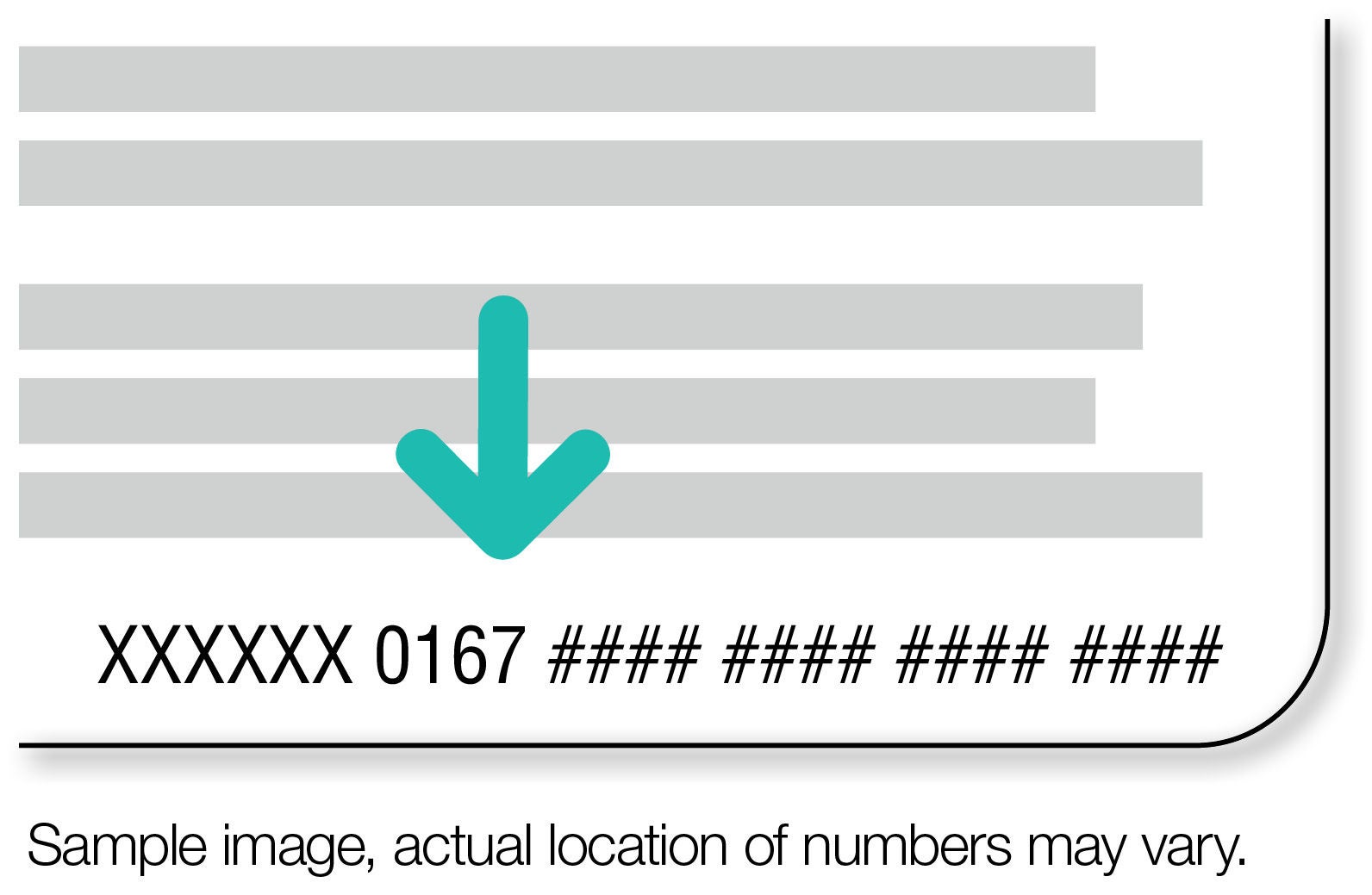
The last 20 numbers in the bottom right corner is your card number. It must start with 0167. If it does not start with 0167, then the card cannot be used.
In Your Apple Wallet
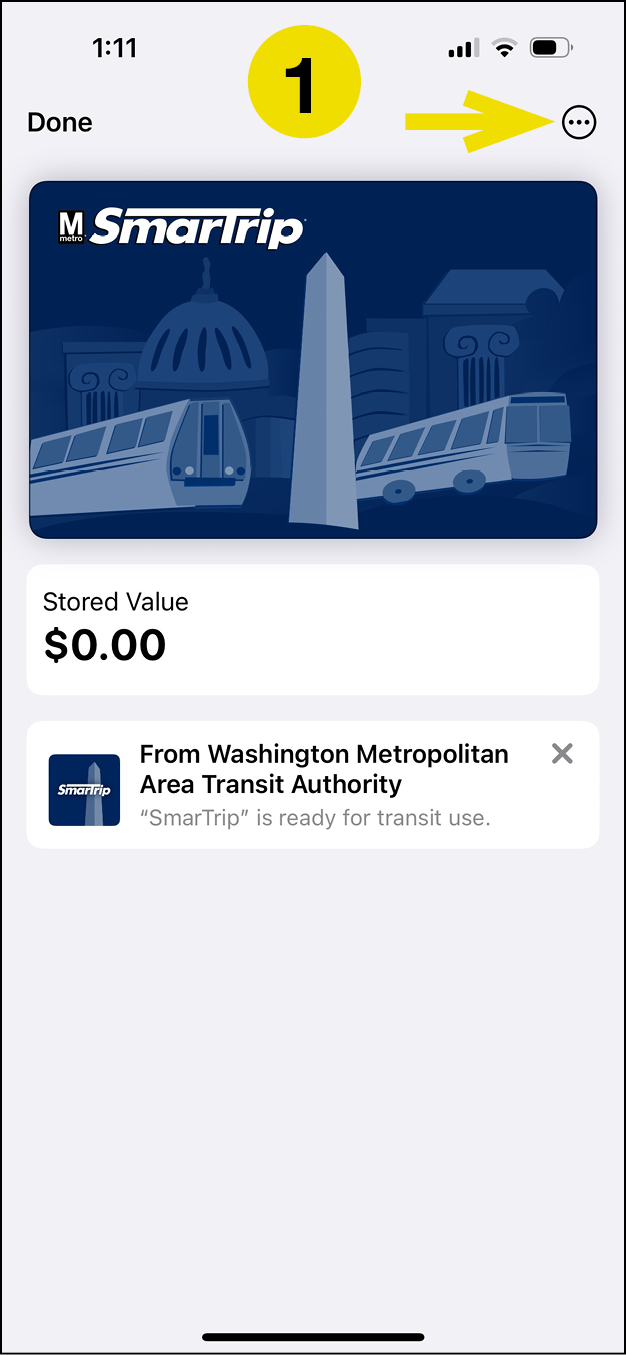
Open your card and touch the three dots in the top right corner.
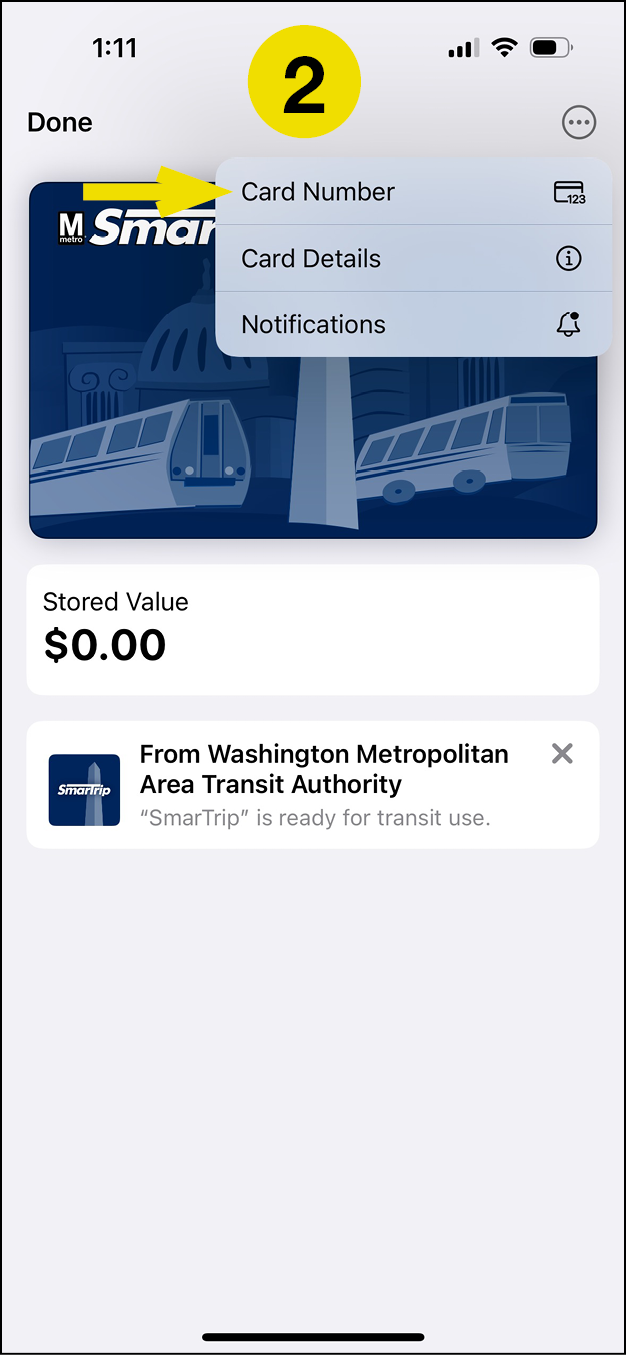
Touch card details.
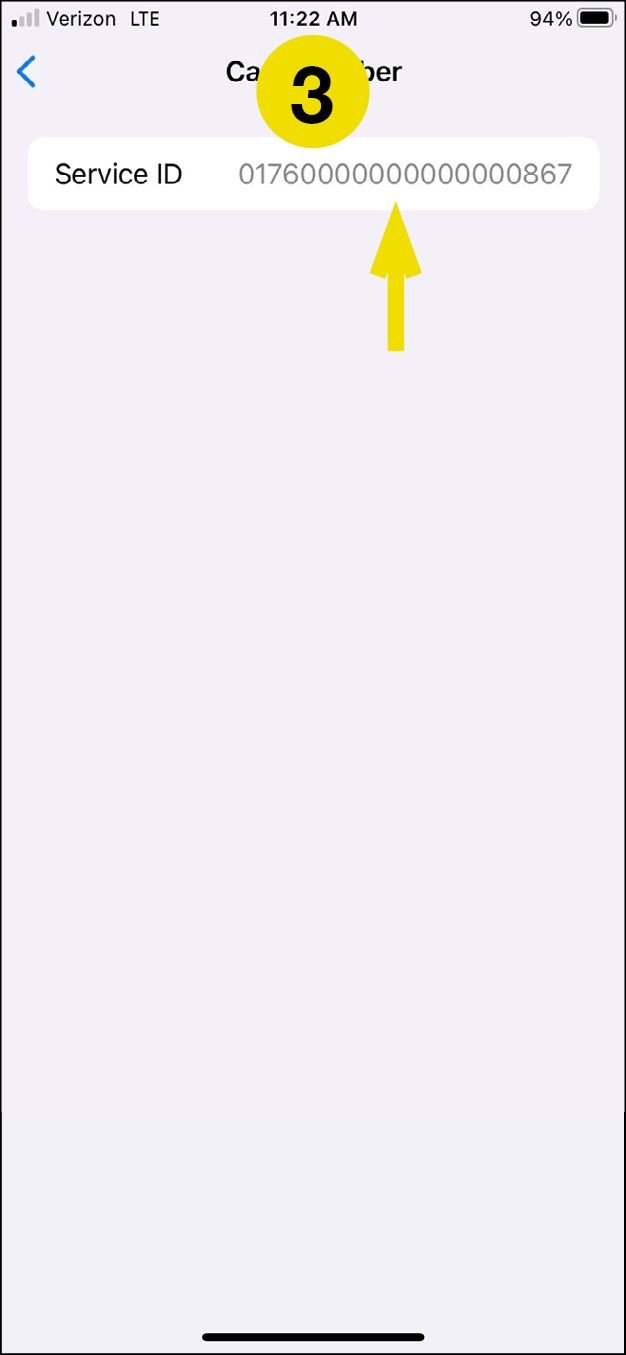
Open your card and touch the three dots in the top right corner.
In your Google Wallet
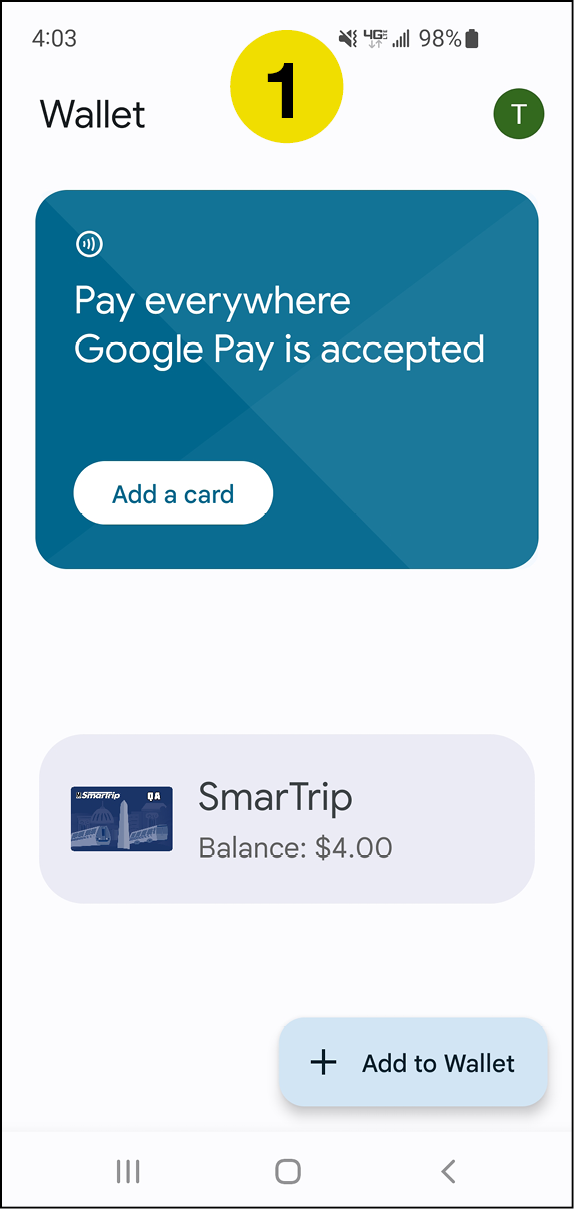
Touch Smart Trip to open your card in Google Wallet.
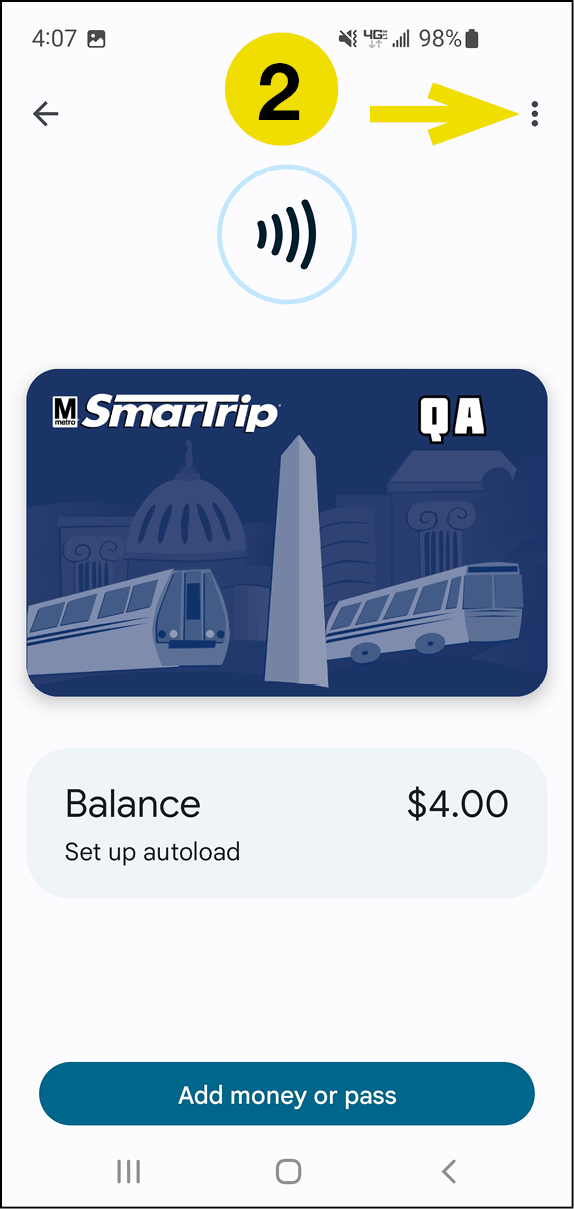
Touch the three dots in the top right corner.
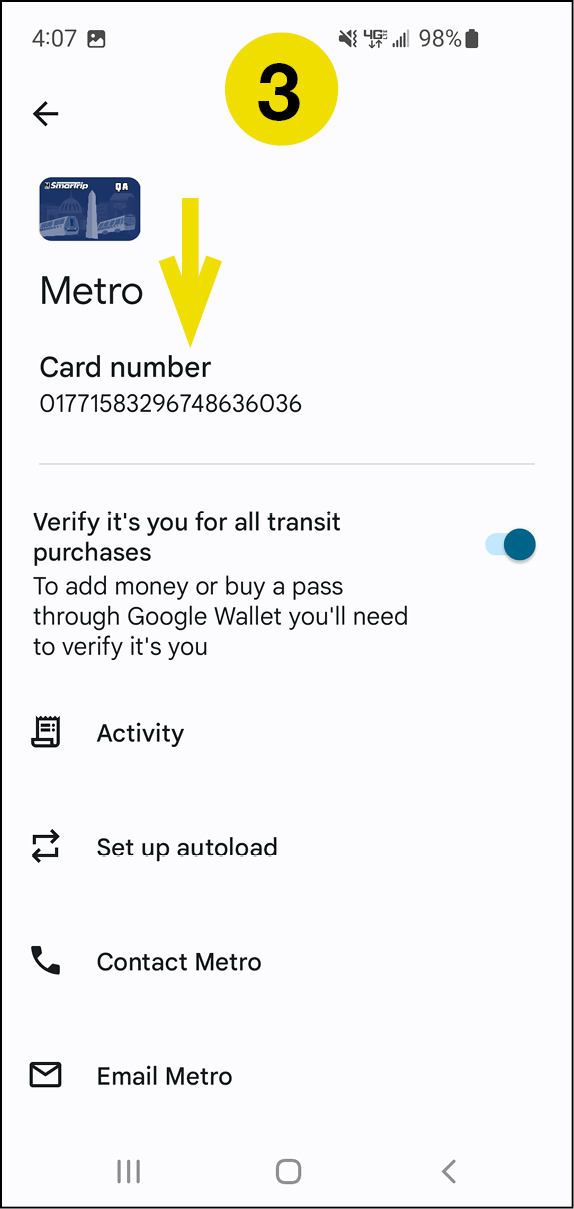
Your card number starts with 0177.
In your Gpay app
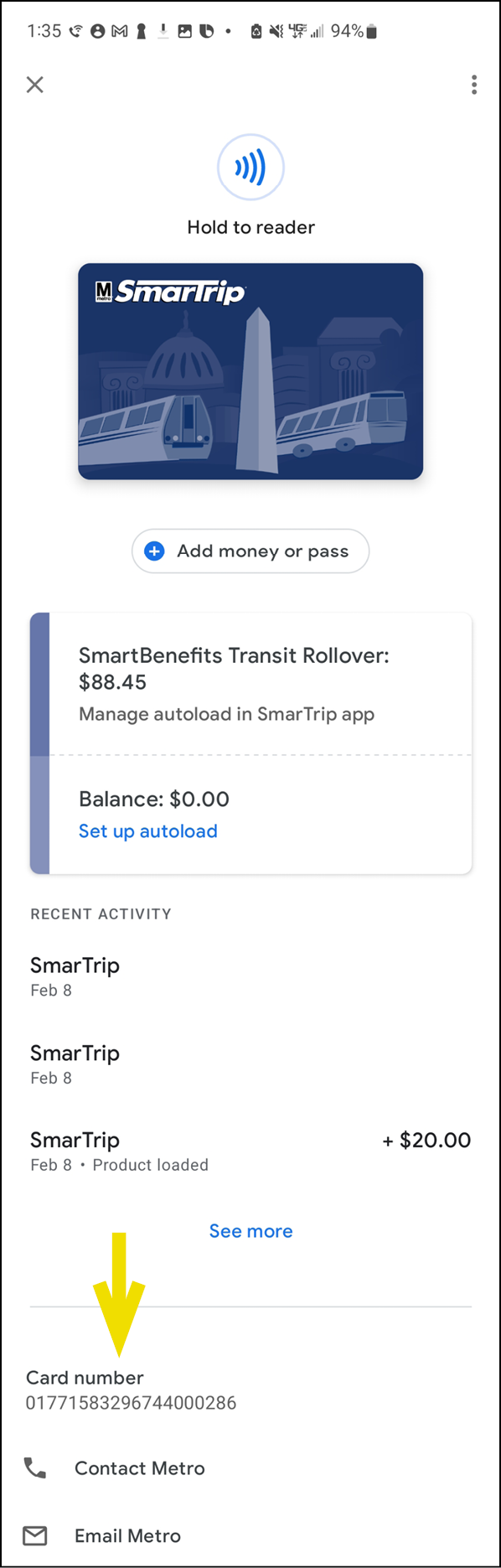
- Open GPay and touch the image of your Smart Trip card.
- Scroll down.
- Your card number starts with 0177.